oricalcum
An Oracle for work, teams, and hobbies.
A canvas-first workspace that blends ClickUp structure with Notion flexibility. Lay work out as nodes and edges, write inside each node, and let the assistant build the map with you.
Free while in beta. Google sign-in or email.
// how it works
Three moves
- 01 /
add a node
Double-click anywhere on the canvas. A node is an idea, a task or a document: a title plus a rich-text body.
- 02 /
connect it
Drag from a node's port onto another node to draw an edge. Pan by dragging, zoom with scroll or pinch, keep your bearings with the minimap.
- 03 /
ask the oracle
Say “add nodes for…” and the assistant builds and wires them in the open nodespace. Ask it to schedule a meeting and it lands on the calendar.
// capabilities
What ships
Everything below is in the app today.
Canvas-first nodespaces
A workspace holds many canvases, organized in a file explorer with folders. Shapes toolbar, minimap, view-only pan and pinch on phones.
Rich nodes
A TipTap editor in every node: headings, lists, resizable images, code blocks with language detection, and a read-only mode.
Edges & ports
Drag from a port to connect. Built on React Flow with Zustand stores, so the graph stays responsive as it grows.
AI assistant & Chatspace
Ask about your workspace from the spark button or the AI Chatspace. Node-building acts only on the nodespace you have open.
Meeting scheduler
The assistant interviews you for title, date, time and duration, confirms, then adds the meeting to the Calendar.
MCP tool surface
Twelve tools over nodes, edges and the calendar, served by fastMCP and bound to each request's auth and project scope.
Snapshots
Capture a workspace state and restore it later.
Share & collaborate
Invite collaborators from the People tab, or publish a read-only public share link.
S3 storage
A per-workspace file drive. Upload and preview files; images dropped into nodes are stored there too.
Themes & tweaks
Mono, Oracle, Cyber and Solar accents; background, node style, glow and motion adjustable from settings or the tweaks panel.
- Mono
- Oracle
- Cyber
- Solar
Command palette
Keyboard shortcuts and a command palette for the whole workspace.
// architecture
One request, end to end
The backend is the source of truth; the browser only caches. Every agent is built fresh per request with its tools bound to that request's auth and project scope.
- Next.js clientReact Flow · Zustand · TipTap
- FastAPISupabase JWT · SQLAlchemy
- LangGraph ReAct agentGemini · built per request
- fastMCP toolsnodes · edges · calendar
- Postgres + S3Supabase · Alembic · per-workspace drive
// mcp tools
12 tools, three groups
Served by fastMCP, consumed through langchain-mcp-adapters. The agent and the REST API share one implementation.
- nodes
list_nodesget_nodecreate_nodeupdate_nodefind_related_nodescreate_summary_node- edges
list_edgesconnect_nodesdisconnect_nodesget_node_connections- calendar
list_meetingscreate_meeting
// screens
In the app
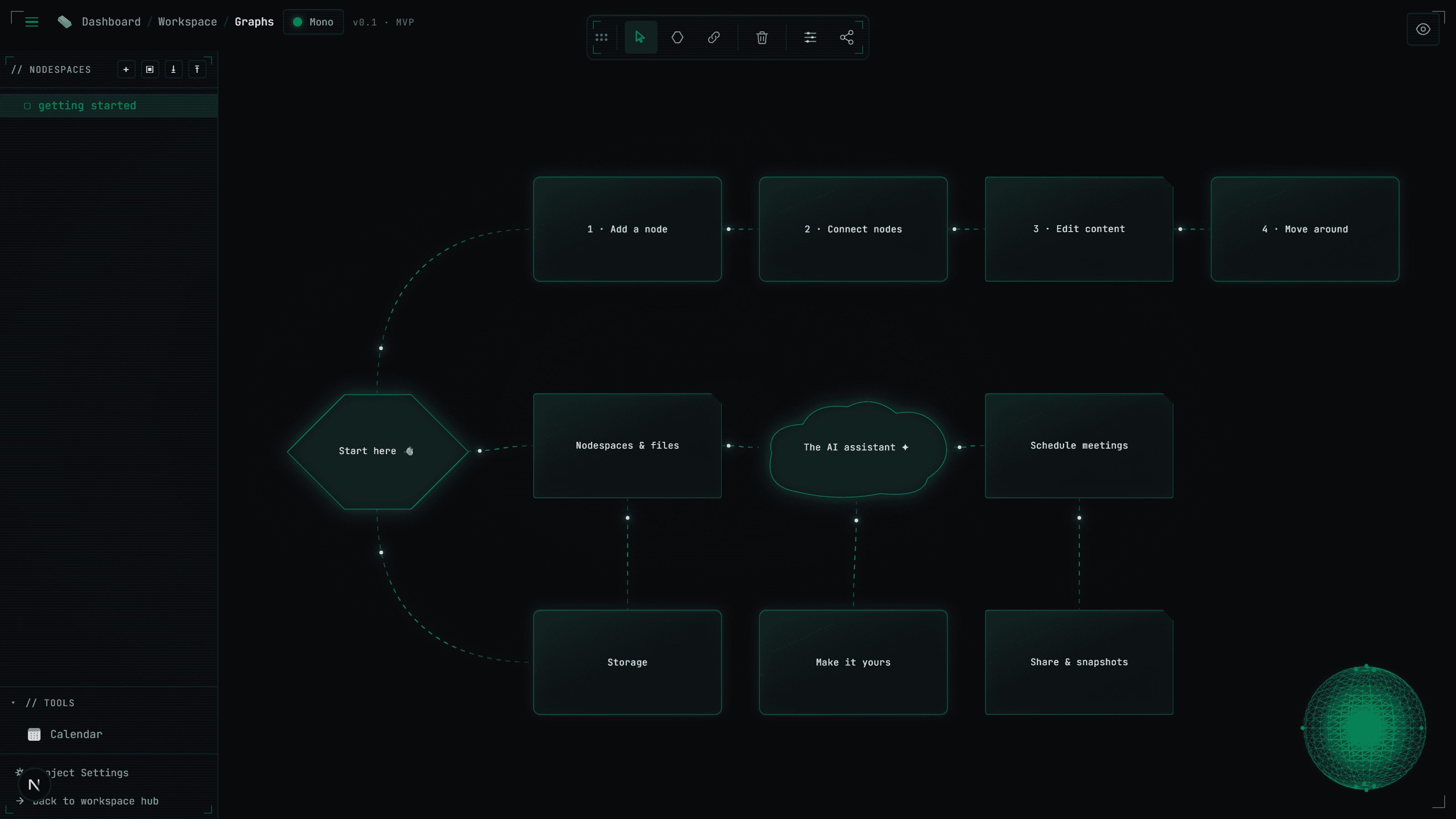
01 / nodespaceOne canvas, eleven connected nodes: the Getting Started tour every new workspace opens with. 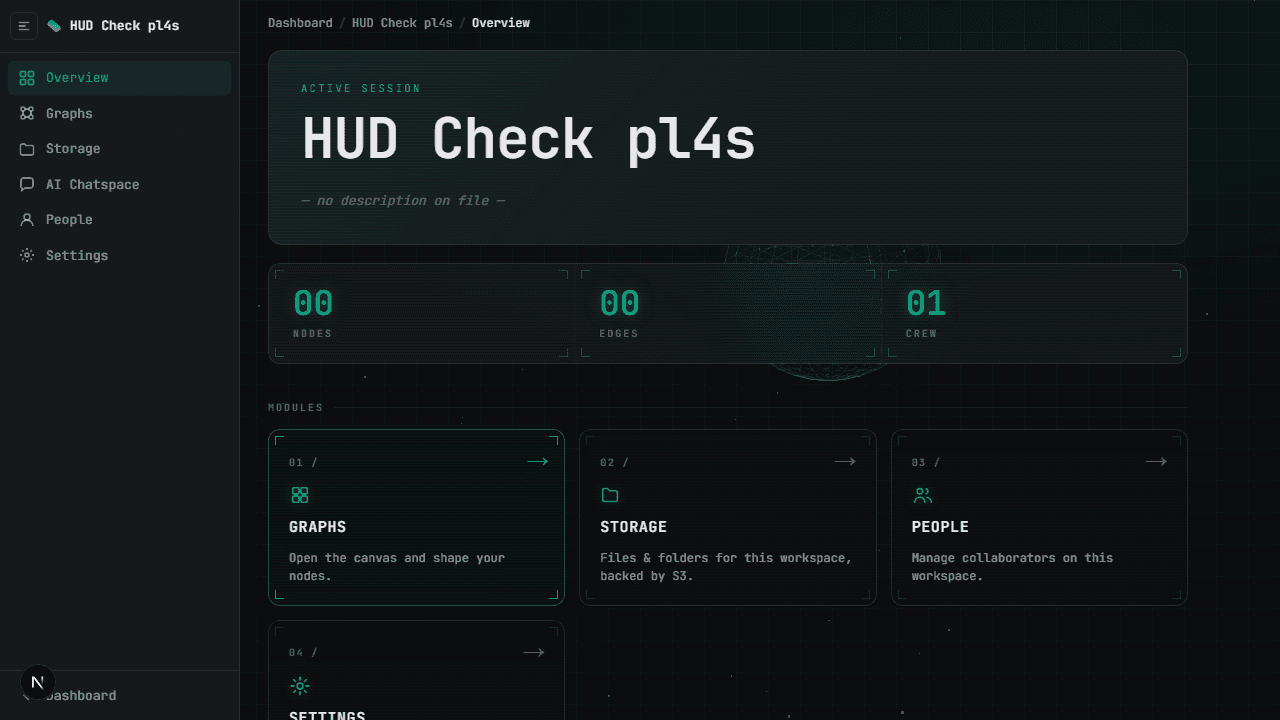
02 / workspace hubA workspace's front door: live node, edge and crew counters plus its Graphs, Storage, People and Settings modules. 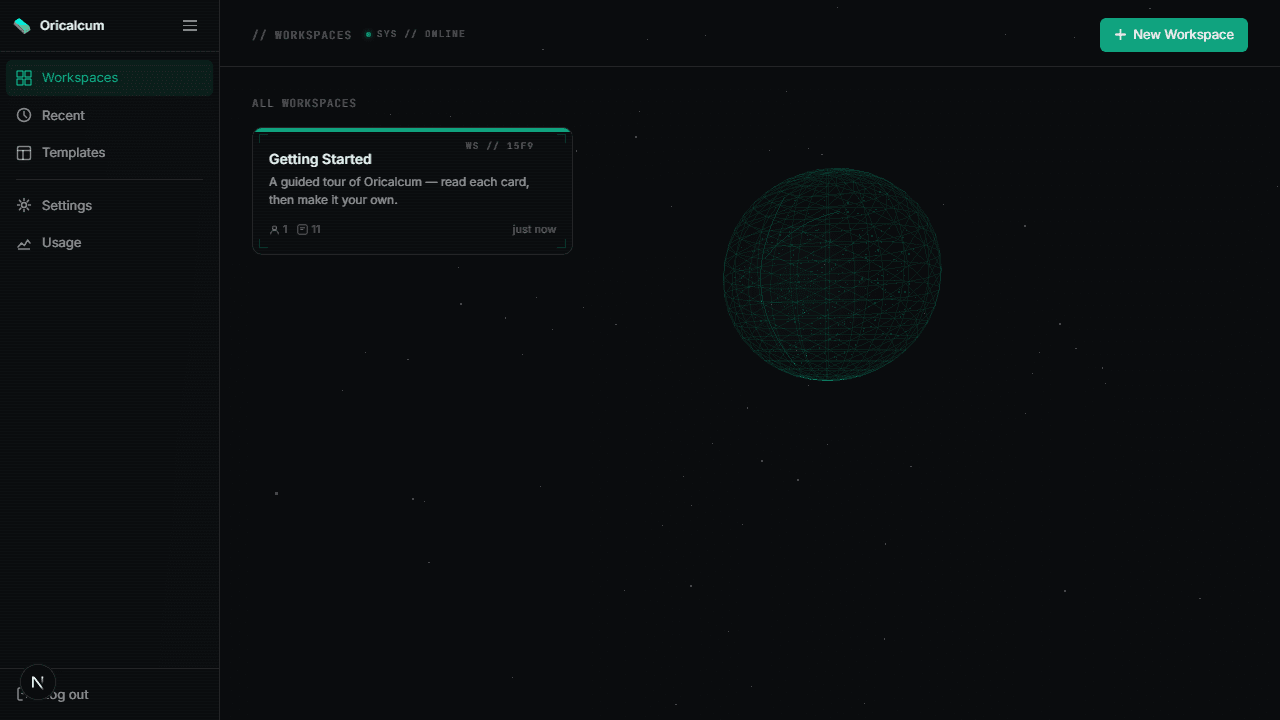
03 / dashboardEvery workspace you own or were invited to. New accounts start with a guided Getting Started canvas.